Loading…
Loading video…

15,885 views
Did you know that Netflix analyzes over 1 billion hours of viewing data weekly to recommend your next binge-watch? Performing a simple data analysis starts with basic statistical functions that reveal patterns hidden in raw numbers. Microsoft Excel provides powerful tools like AVERAGE, MEDIAN, and standard deviation functions that help students analyze everything from SAT score distributions to climate data trends. These fundamental techniques form the backbone of data-driven decision making in fields from sports analytics to medical research. Watch the full video on JoVE Coach to master this concept with expert-led visuals and step-by-step explanations.
Performing a simple data analysis involves systematically examining datasets to extract meaningful insights through statistical methods. This process begins with descriptive statistics—numerical summaries that describe the basic features of your data. Students encounter this concept in AP Statistics courses and college-level research methods classes, where understanding data patterns becomes crucial for academic success.
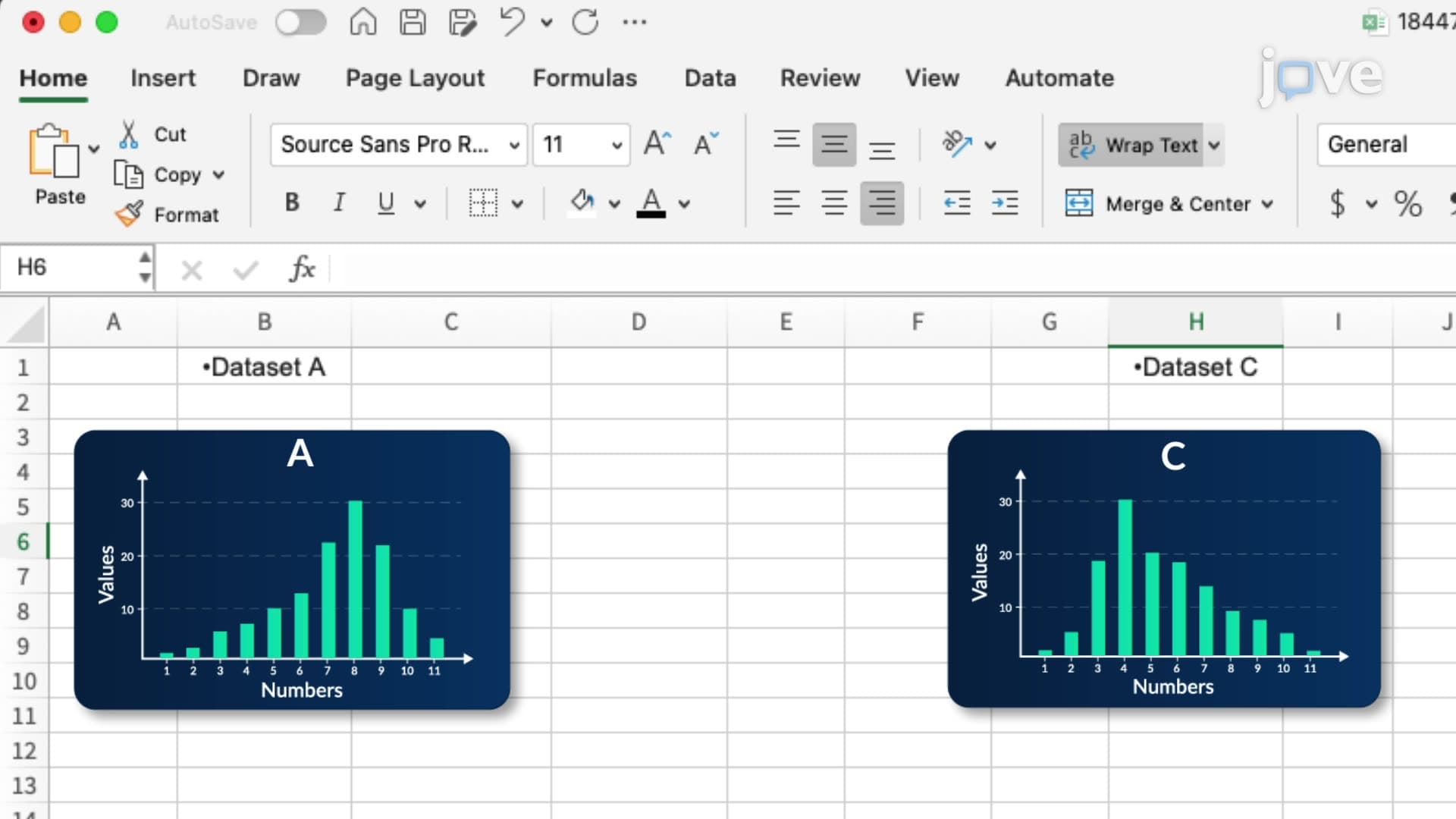
The foundation of any analysis lies in understanding where your data clusters and how much it varies. Excel's AVERAGE function calculates the arithmetic mean, perfect for analyzing test scores or survey responses. However, the MEDIAN function often provides better insights when dealing with skewed data—like analyzing household incomes across different US states, where extreme values can distort the mean.
The MODE function identifies the most frequently occurring value, particularly useful in quality control scenarios or consumer preference studies. For example, a high school analyzing student lunch preferences would use MODE to identify the most popular meal option.
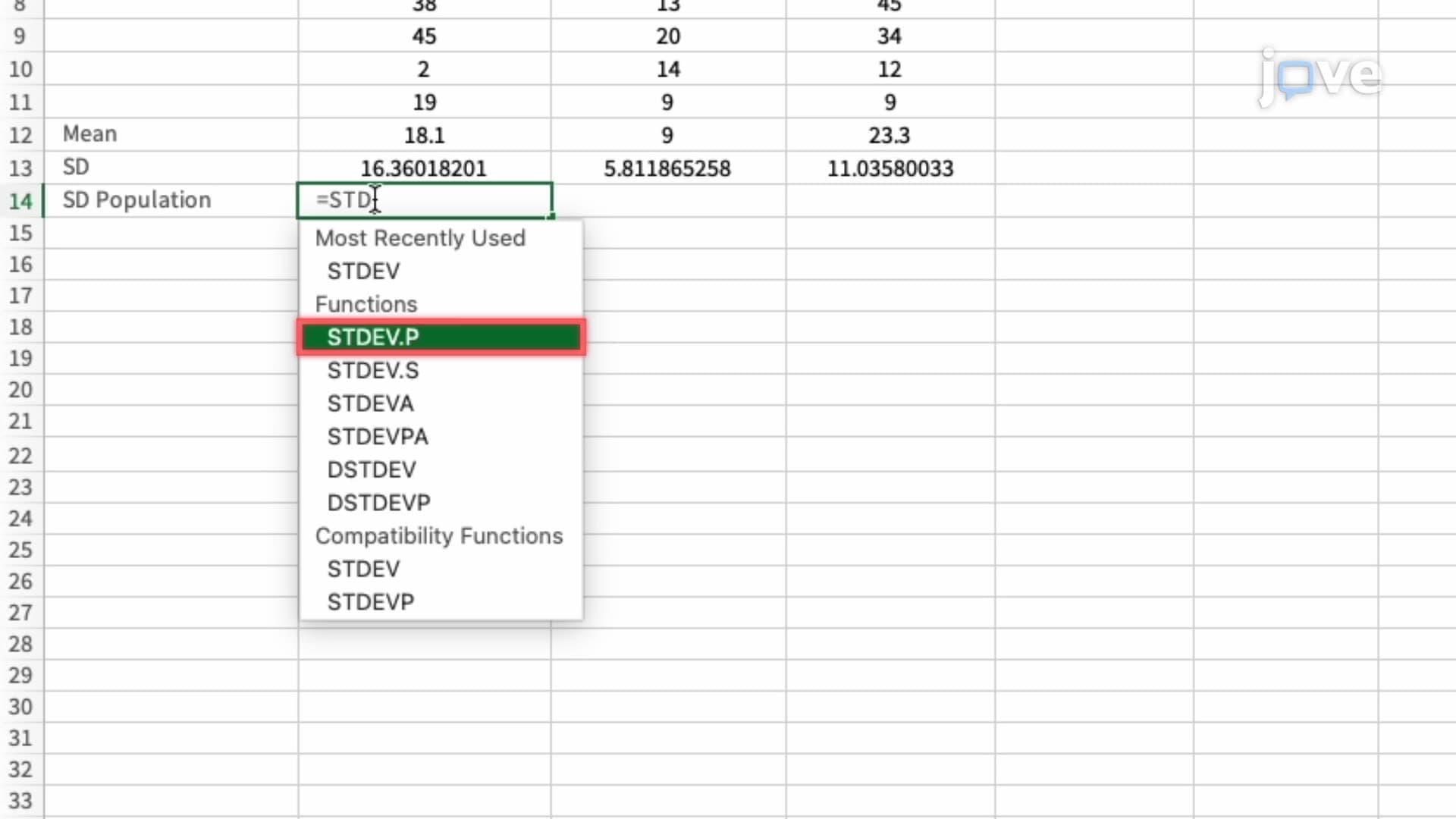
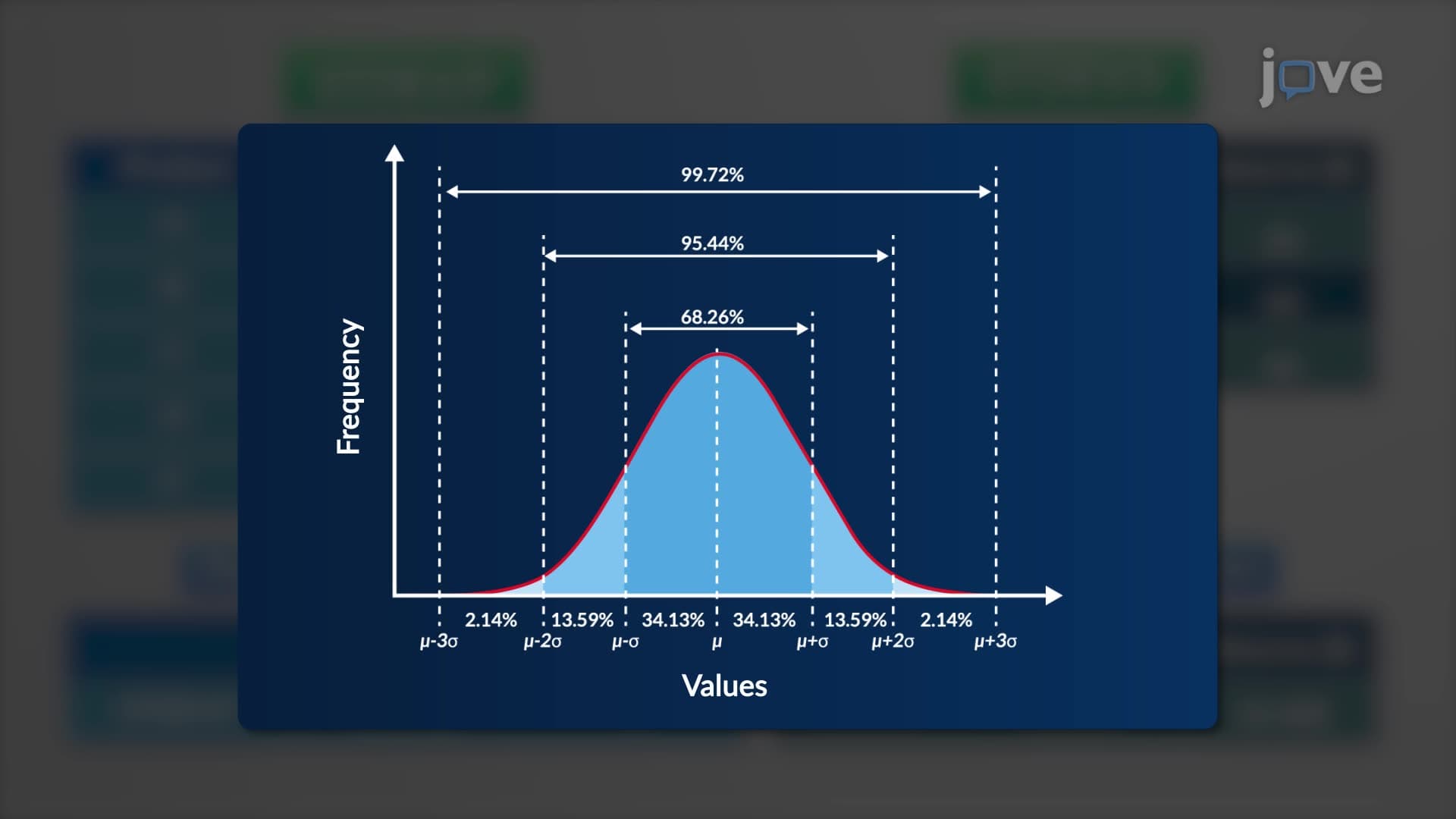
Standard deviation functions (STDEV.P for populations, STDEV.S for samples) measure data spread. A low standard deviation indicates consistent performance—crucial when analyzing standardized test scores for college admissions or evaluating manufacturing processes in industrial engineering programs.
Excel's IF function enables conditional data categorization, allowing analysts to classify information based on specific criteria. Students might use IF statements to categorize GPA ranges for scholarship eligibility or classify experimental results as statistically significant.
VLOOKUP and HLOOKUP functions retrieve specific information from large datasets, essential skills for business analytics and research methodology courses. These functions prove invaluable when cross-referencing student IDs with performance data or matching product codes with inventory information.
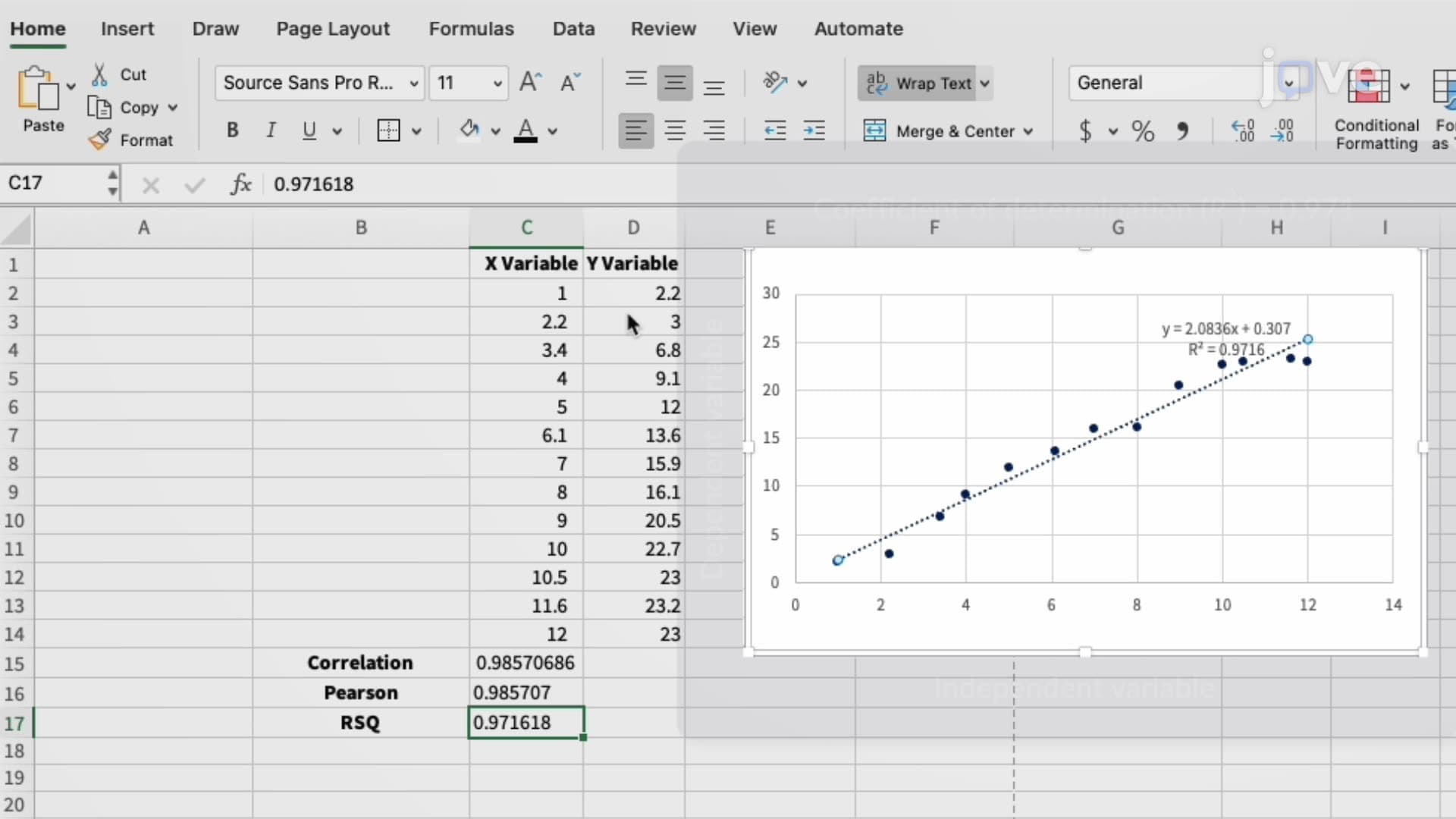
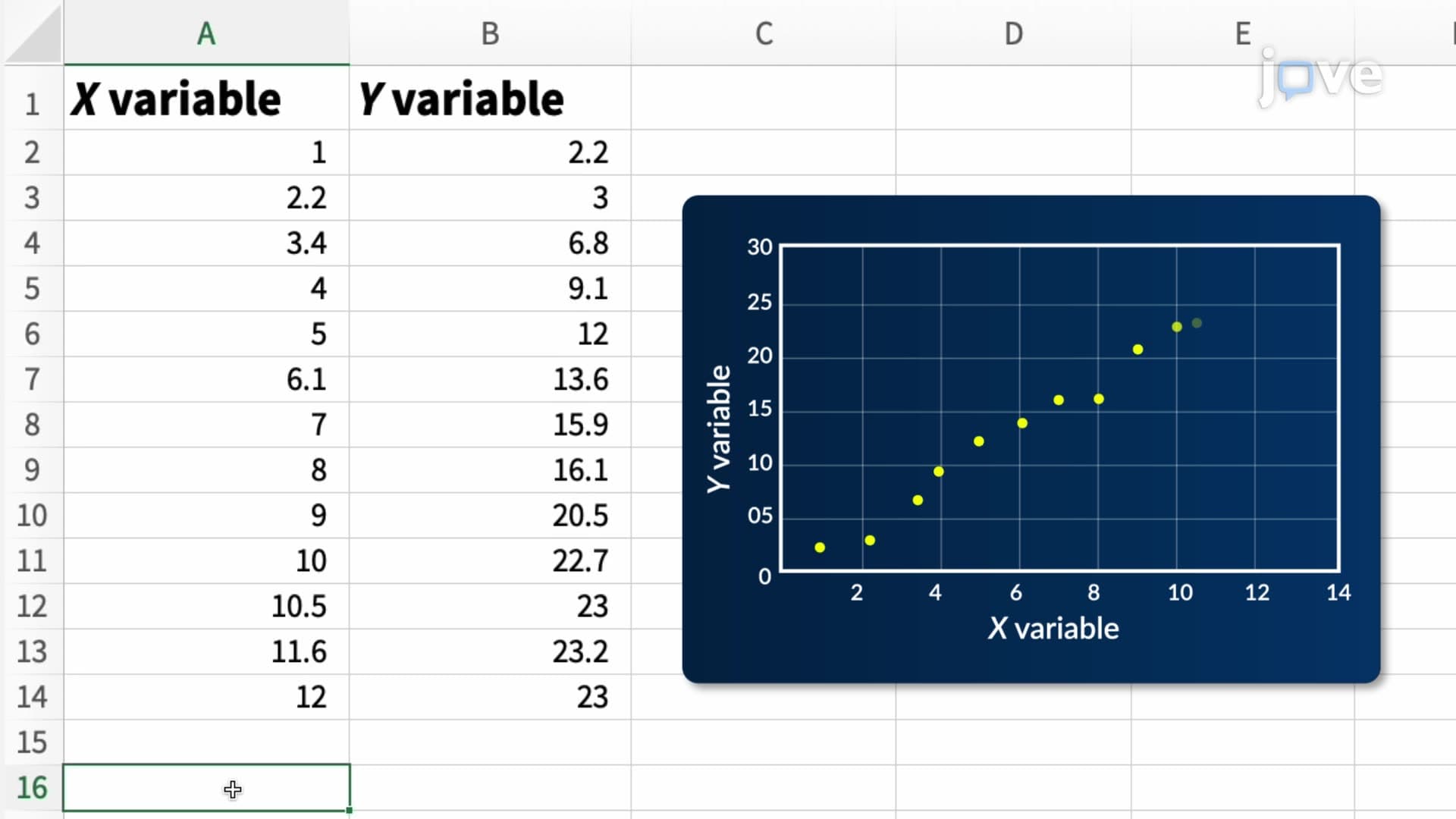
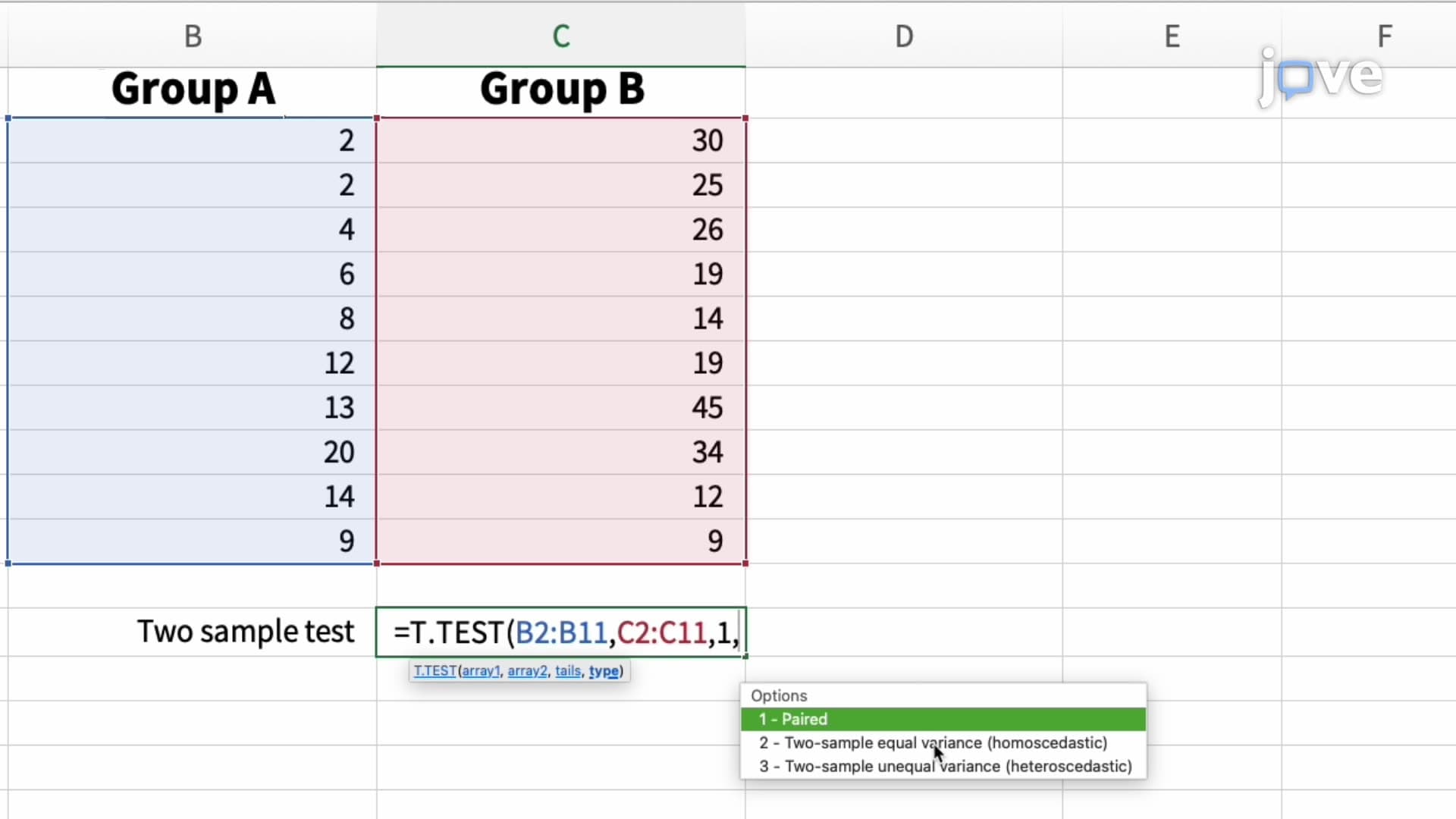
Hypothesis testing functions in Excel support more sophisticated analyses required in upper-level statistics courses and research projects. Correlation coefficients reveal relationships between variables—like studying the connection between study hours and exam performance. Student's t-test functions help determine statistical significance, critical for AP Research projects and college thesis work.
Pivot tables represent Excel's most powerful analytical tool, enabling complex data summarization without programming knowledge. These dynamic tables prove essential for analyzing survey results, financial data, or experimental outcomes in various academic disciplines.
Frequently Asked Questions
Performing a simple data analysis involves using statistical methods to examine datasets and extract meaningful patterns or insights. It's crucial for students because these skills apply across disciplines—from analyzing experimental results in AP Biology to interpreting economic trends in social studies. This foundational skill prepares students for data-driven decision making in college coursework and future careers.
AP Statistics frequently tests students' ability to calculate and interpret measures of central tendency, variability, and correlation coefficients. Students must demonstrate understanding of when to use mean versus median, interpret standard deviation values, and analyze scatter plots. The exam often includes real-world scenarios requiring students to choose appropriate analytical methods and draw valid conclusions from data summaries.
Yes, the SAT Math section includes questions on data interpretation, statistical measures, and graph analysis. Students who understand basic statistical concepts perform better on questions involving mean, median, range, and data visualization. These skills also prove valuable for SAT Essay writing when citing statistical evidence to support arguments.
Companies like Amazon use basic statistical functions to analyze customer purchase patterns, calculate average order values, and identify trending products through frequency analysis. Retail chains analyze sales data using measures of central tendency to optimize inventory levels, while marketing departments use correlation analysis to understand relationships between advertising spend and customer acquisition.
No, simple data analysis primarily requires basic arithmetic and logical thinking rather than advanced calculus or algebra. Students comfortable with calculating averages, understanding percentages, and basic probability concepts can successfully learn these techniques. Excel handles complex calculations automatically, allowing students to focus on interpreting results and drawing meaningful conclusions.
Practice with real datasets relevant to your field of study, focusing on interpreting results rather than just calculating values. Create summary tables, identify outliers, and practice explaining what statistical measures reveal about the underlying data. Review common Excel functions and understand when to apply different analytical techniques based on data characteristics and research questions.
Simple data analysis provides the foundation for inferential statistics, regression modeling, and multivariate analysis taught in advanced courses. Understanding basic concepts like standard deviation prepares students for confidence intervals and hypothesis testing. These fundamentals also support machine learning concepts and predictive analytics in computer science and engineering programs.
Related Micro-courses



Related Subjects
 Physics 33 micro-courses›
 Math Fundamentals 11 micro-courses›